
These buttons are usually found on the top of the controller and typically have a secondary function in games. Though, in first person and third person shooters, they arguably function has the main buttons. Over time, shoulder buttons have been further innovated upon with the creation of pressure triggers seen on the Dreamcast and a second row seen on the PlayStation home consoles.
- Favorite usage: off-hand grenades in Halo

Mode 7 and true 3D environments
A flat, infinite and ever expanding plane probably gave the perfect illusion gamers needed for a pseudo 3D experience but, it wasn’t until CD based systems really started to take advantage of this. Two dimensions was pretty much the only aspect gamers knew and slowly, but surely that notion has reversed. Though, there are still very notable 2D based games around …
- Favorite usages: Racing in F-Zero (SNES), navigating world maps in Square RPGs

Standard four controller ports
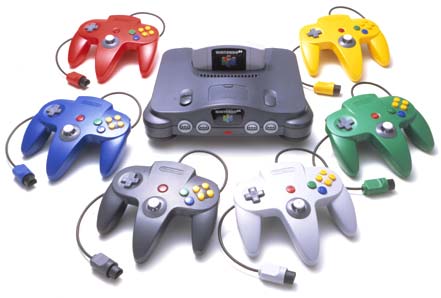
While this isn’t such a big thing now, but having four controller ports built into a system was an ingenious perk. Way before Nintendo implemented this on the N64, two ports were normally found on systems. Microsoft and Sega followed suite on this with their consoles, but Sony never did. Nowadays, USB ports and wireless signals are the standard for controller connections instead of a propriety connection shipped with a console.
- Favorite usage: GoldenEye 007 multiplayer (N64)
Battery back up memory
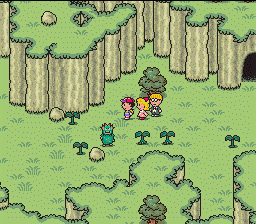
Passwords were a great feature, but having to write them down all the time was a pain. Though passwords hung around while battery saves on the cart were being implemented, this function would later evolve into memory cards for CD based systems and hard disk drives further along into the future starting with the Xbox.
- Favorite usage: The Legend of Zelda: A Link to the Past

Dual analog joysticks
Looking back, first person shooters were awkward at first, GoldenEye being one of them! Holding down a shoulder button for precise aiming? Now that’s a thing of the past! Innovating controllers like the Dual Shock really paved the way for quicker and easier camera controls as well as a dedicated stick for looking/aiming.
- Favorite usage: Xbox 360 controller


 Nostalgia Gamer